
MadOnion Nostalgia Festival - 3DMark 99 Max
Closed
User Competition
Online
| # | Participant | Score | Pts | |
| 1 | 84591 marks | 10 pts | ||
| 2 | 83732 marks | 8 pts | ||
| 3 | 83296 marks | 6 pts | ||
| 4 | 82854 marks | 5 pts | ||
| 5 | 80821 marks | 4 pts | ||
| 6 | 79658 marks | 3 pts | ||
| 7 | 74078 marks | 2 pts | ||
| 8 | 67831 marks | 1 pts | ||
| 9 | 67804 marks | 0 pts | ||
| 10 | 65882 marks |
|
0 pts |


Copyright 2004-2026 by HWBOT GmbH. All rights reserved. HWBOT-WEB 3.7.20













Hi guys.
I have a problem with my 3DMark 99 score. I'm running my CPU @ 3.8GHz (Phenom II X6 1090T9) and my GPU (GTX260) at 710/1200 from stock 620/1080. But the score that gives me is only 6900, why is so low? I see 8800 GTX with a Core2Duo E8700 @ 3.5GHz get a better score. What i'm doing bad?
Have you disabled V-sync?
I'm running Win 7. Do you think that's the problem?. I disable PhysX but not V-Sync
The problem is not Win7 but the V-Sync. You have to disable it
Ok, guys I will try that, Does the same for the other 3DMark editions? or just for 3DMark 99
on 3dmark00 you have to disable it as well.
and yeah win xp is much faster than vista\win7 on 3dmark99 and 00.
Hi guys.
I installed Win XP x86, but now 3DMark 99 refuses to run, the process is running in the task manager but the program don't load. What I did wrong? Do i need something more to run it?
On wind 7 runs with 98/ME compatibility, but that configuration doesn't work on Win XP.
Did you add the Dx6 file on the directory ?
How do I do that?
he means the ddraw.dll which is in the 3dmark99 download zipfile.
Do you mean to drag and drop the .dll file in the 3DMark 99 installation folder, right?
after installing 3dmark99 you have to put the file into the 3dmark99 folder. (e.g. c:\program files\3dmark99)
Thanks, I will try tonight and let you know the results.
One more question, I'm running 3DMark 2000 on Win 2000 compatibility, Do i need similar process? or it's fine as I did.
normally it should work.
although i had to use "win 98 compatibility" to get it running under win xp x86.
Thanks, I will try tonight and comeback with the results.
P.D. Sorry for my bad English, it's not my 1st language.
looking forward to the results.
no problem, english isn't my 1st language as well.
I'm pretty sure that you have more contact with it that me.
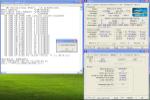
OK, this was the results with CPU a little overclocked and GPU at stock clocks.
http://hwbot.org/community/submission/1093551_saint19_3dmark_99_max_geforce_gtx_260_42906_marks
What do you think?
If I use nivitor to change the GPU clocks, Is that permitted? or is a rule violation.
nice result.
tools like "evga precision" or "msi afterbuner" should also work for video card overclocking.
Thanks.
I mean to change the clock in the GPU BIOS to always run at that speed, Is that possible? or i'm violating some rule.
I'll try more overclock tonigh and see how far I can go with my old GPU
of course it's allowed.
Log in or register to comment.